BACK TO PORTFOLIO
EDTECH CONCEPT

Prime —
Execution Layer

LMS platforms are comprehensive but cognitively heavy in short windows. Prime is a minimal execution layer — one card, one decision, one action. Surfaces what needs doing and gets out of the way.

CONTEXT K–12 Educators
ROLE Product Designer
FOCUS Cognitive load reduction
TOOLS Figma

Simple tasks, complex paths.

While exploring complex educational platforms, I noticed an interesting pattern: many core teacher workflows—taking attendance, reviewing submissions, updating grades, and planning lessons—are individually simple. The challenge isn't performing these tasks; it's finding them.

As platforms consolidate planning, assessment, communication, and administration into a single system, teachers are often required to move between multiple sections just to complete routine work. By analyzing discussions across online educator communities, a recurring friction point emerged. Teachers described clicking through layers of navigation, losing context between workflows, and spending unnecessary effort locating information they knew existed.

This raised a core product question: As educational platforms grow more capable, how can they remain easy to navigate?

Learning from expert tools.

Rather than immediately designing a solution, I examined how other workflow-heavy products manage large volumes of information and frequent context switching.

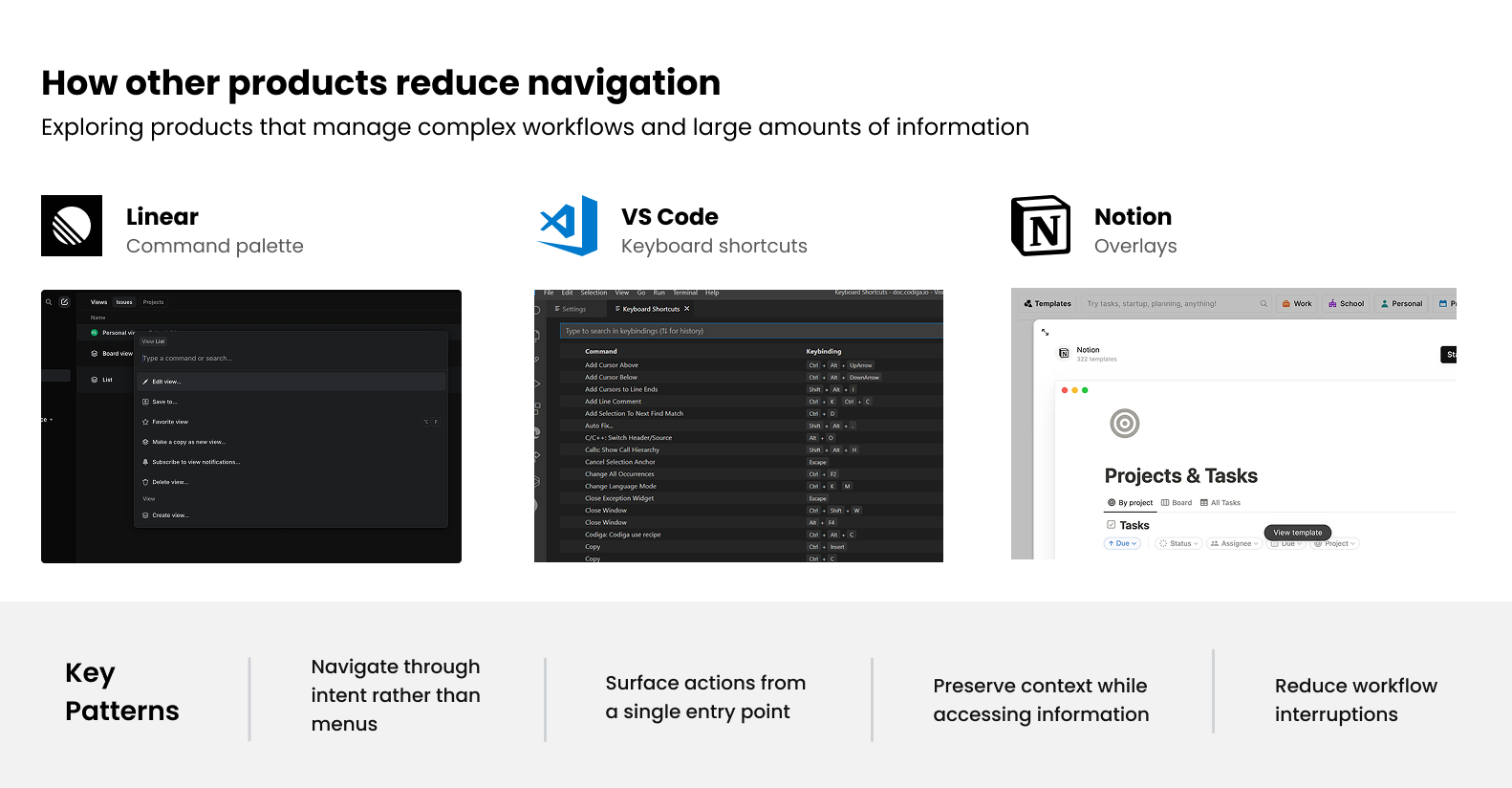
Secondary research analyzing Slack, Linear, Notion, and VS Code interaction patterns

Several interaction patterns appeared repeatedly across tools like Linear, Notion, Slack, and VS Code:

LINEAR Command Palette
Navigates through intent rather than interface hierarchy.
NOTION Contextual Overlays
Uses side-peeks to preserve context while accessing related content.
SLACK & VS CODE Shortcuts
Relies on quick actions to reduce dependence on main navigation.

Despite serving very different audiences, these products share a common principle: reducing the distance between a user's intention and the action they want to perform.

Reduce decisions required to reach action
Preserve context in related information
Navigate through intent, not structure
Reduce transition and navigation effort

These principles suggested that improving navigation was less about redesigning menus and more about reducing the effort required to move between workflows.

This became the foundation for the first design direction.

Reducing navigation overhead.

Rather than reducing complexity by removing functionality, the goal was to reduce the effort required to access it.

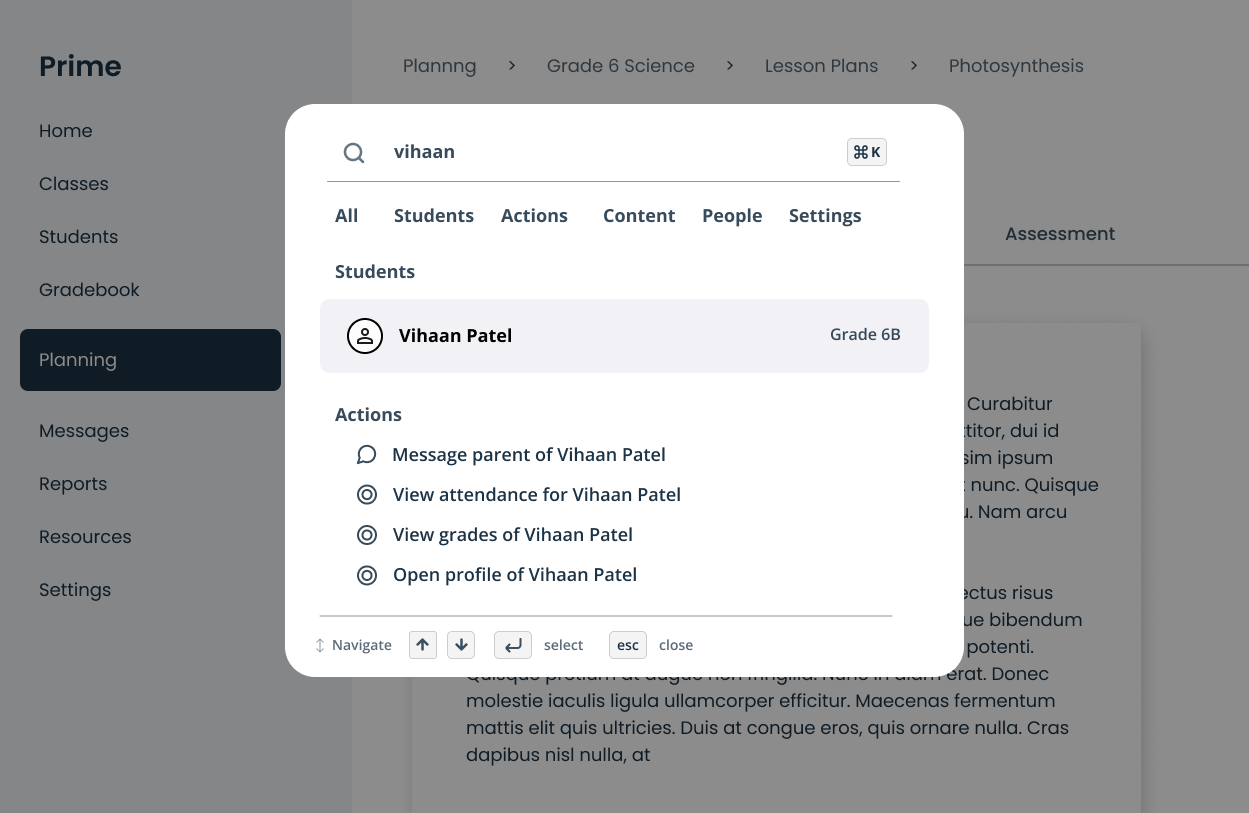
Direction 1 focused on reducing navigation overhead. Rather than asking teachers to navigate through multiple sections of the platform, frequently used actions and resources could be surfaced through a central access point. This allows users to jump directly to tasks without traversing the platform's rigid navigation structure. The goal was not to replace existing workflows, but to reduce the number of steps required to reach them.

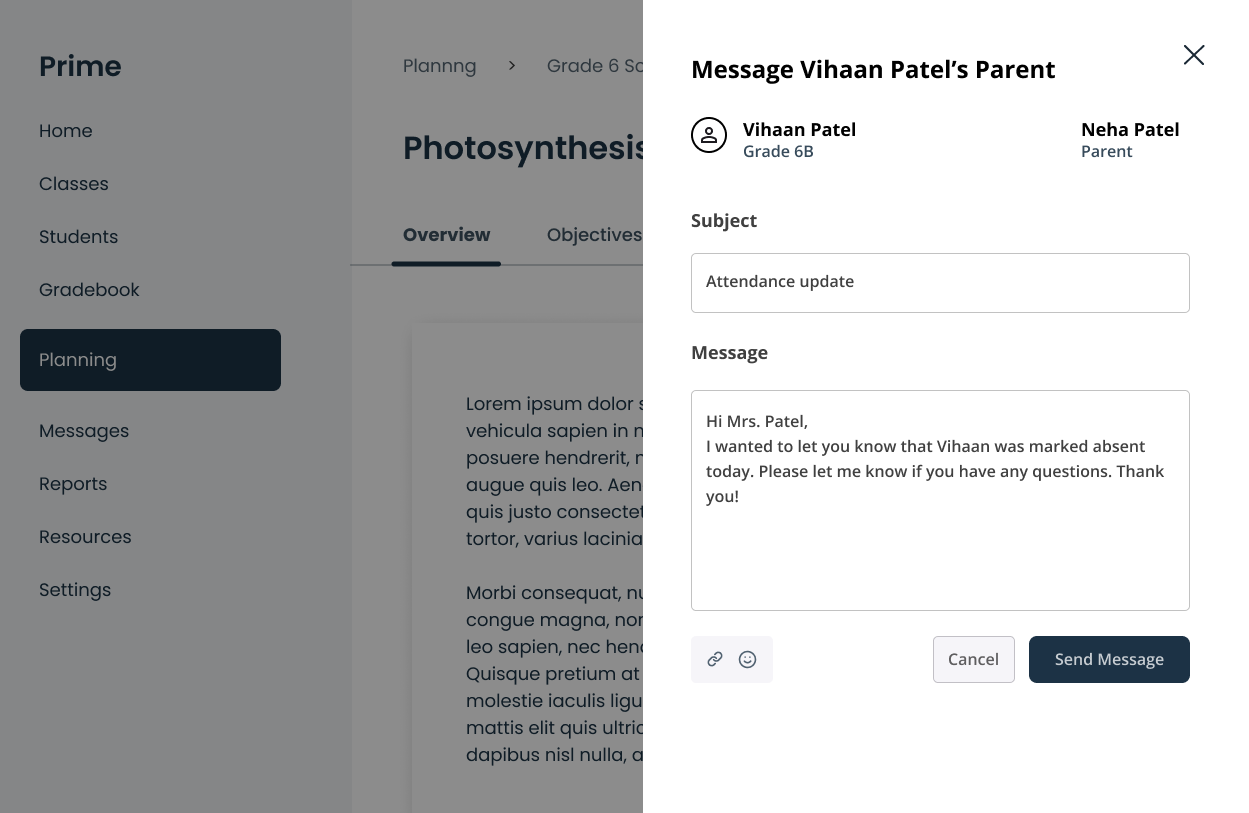
Navigation also frequently requires users to leave their current task to access related information. To reduce this interruption, selected resources could be opened within lightweight overlays—allowing users to preview content or perform quick actions while maintaining awareness of their original context.

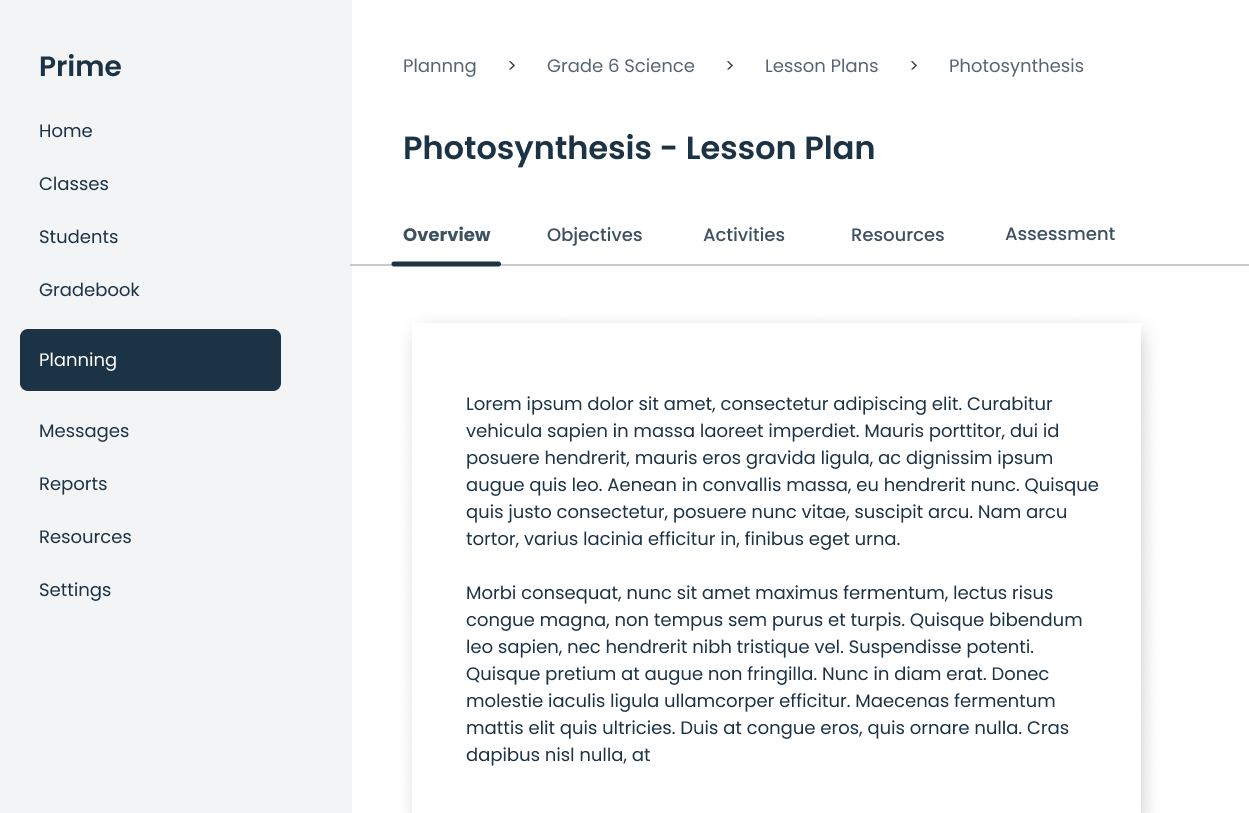
Let's look at this through the eyes of a teacher: They are writing a lesson plan and remember they need to message a parent. In a standard LMS, they must abandon the lesson plan, navigate to 'Directory', find the student, open the profile, and click 'Message.'

With a command palette, they hit Command+K, type the student's name, send the message in an overlay, and their lesson plan never leaves the screen — saving 15 clicks.

Command palette overlay view
Command palette searching parent profile
Command palette quick message overlay

What if work came to the teacher?

The first direction made navigation faster, but it still relied on users knowing exactly what they were looking for. This raised a broader question: If users still need to search for work, decide what to do next, and initiate workflows manually, is navigation itself the problem?

Or is it simply a symptom of a larger challenge?

This led to Direction 2: What if teachers didn't need to navigate to work at all?

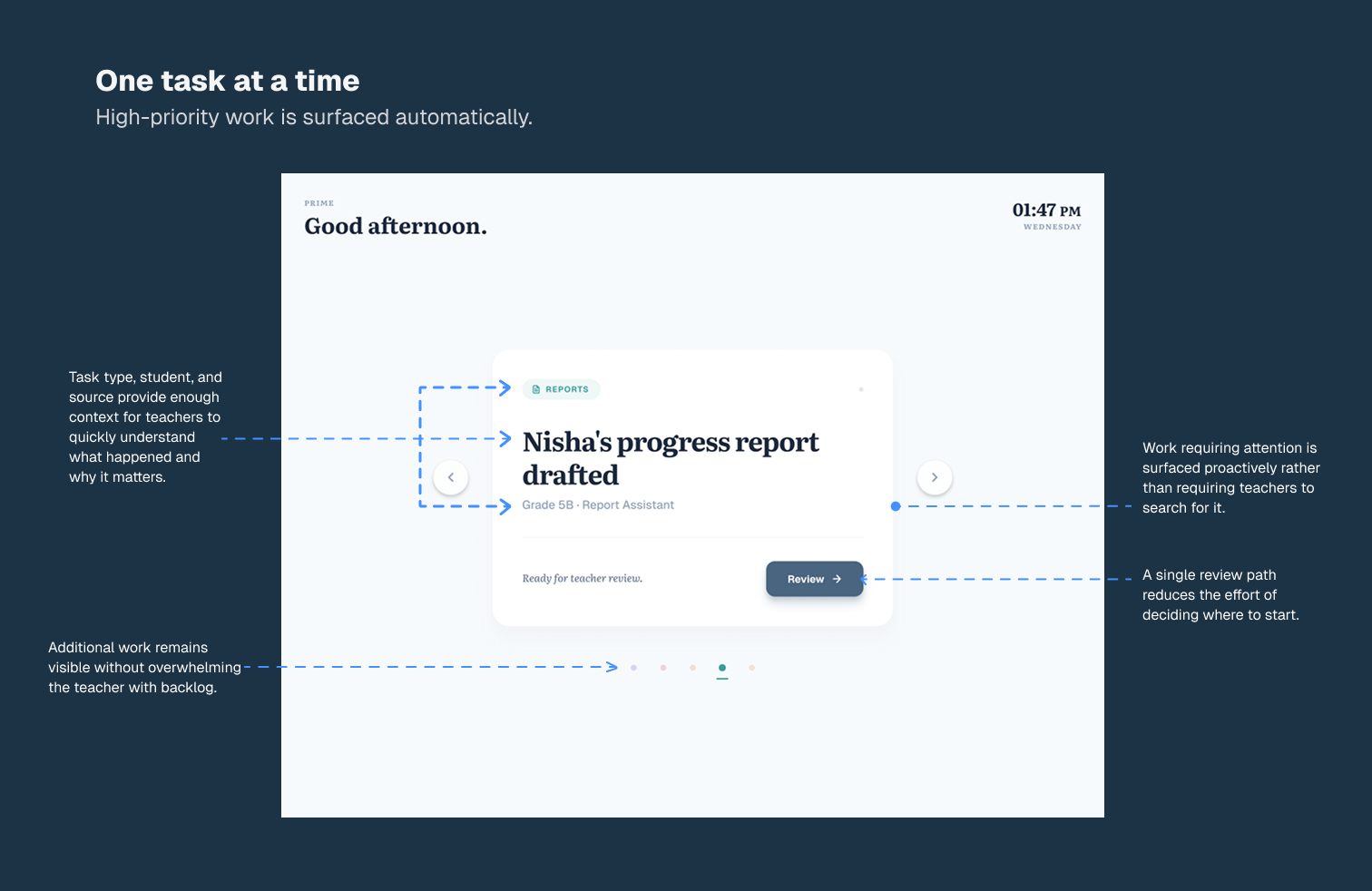
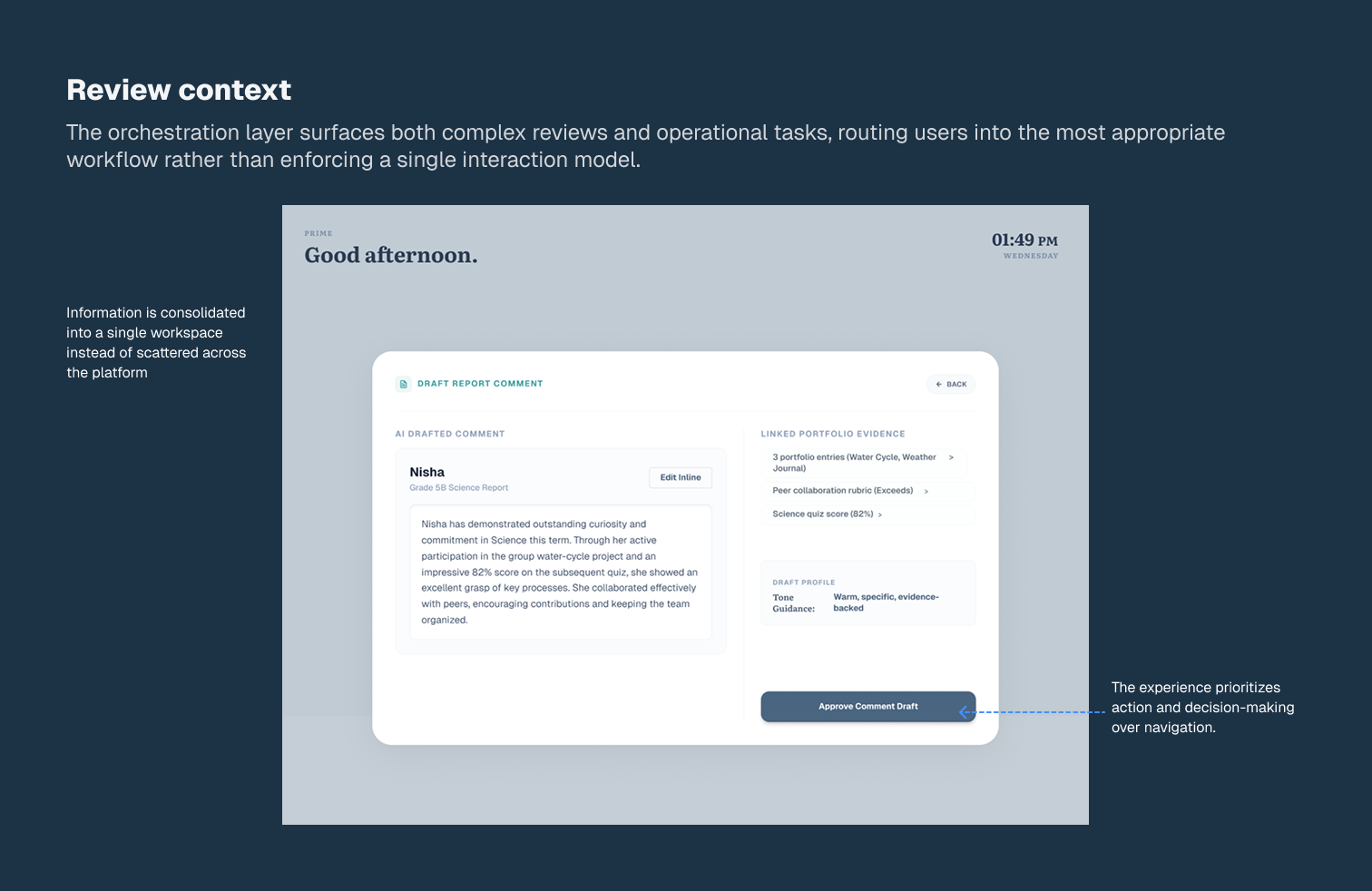
Rather than organising work around product areas, this direction explored whether tasks, reminders, pending reviews, and upcoming actions could be surfaced in a single place. By organizing the UI around teacher priorities rather than platform structure, the focus shifted from helping users find work to helping users act on it.

Task execution dashboard showing prioritize list
Teacher priority cards showing quick actions

Navigation versus prioritisation.

This exploration expanded the scope of the problem beyond discoverability. What initially appeared to be a navigation challenge was actually a challenge of prioritization and execution. Even when work is easy to find, users must still evaluate options, determine what requires attention, and decide where to begin.

The two directions addressed friction at fundamentally different levels of the workflow:

DIRECTION 01 Navigation Overhead
Focused on helping users reach work more efficiently. Relies on the Command Palette and Contextual Overlays.
DIRECTION 02 Decision Overhead
Focused on reducing decision fatigue by helping users understand what work requires attention first.

The Verdict

The task-oriented concept (Direction 2) offered a broader, more transformative reimagining of how work could be organized, but it represents a fundamental behavioral shift that requires rigorous primary validation with educators before committing engineering resources.

The command palette and contextual overlays (Direction 1) represented a much lower-risk intervention. They reduce navigation overhead, preserve user context, and integrate seamlessly with existing workflows without requiring a massive shift in user behavior.

For that reason, Direction 1 was selected as the most practical starting point for improving everyday interactions, while the task queue remains a high-confidence hypothesis for future exploration.
NEXT PROJECT

Subtopia — Onboarding